Amazon product image size: the numbers that matter
Last updated: 19 November 2026 · By Surya Shailendra — Seller Success Lab
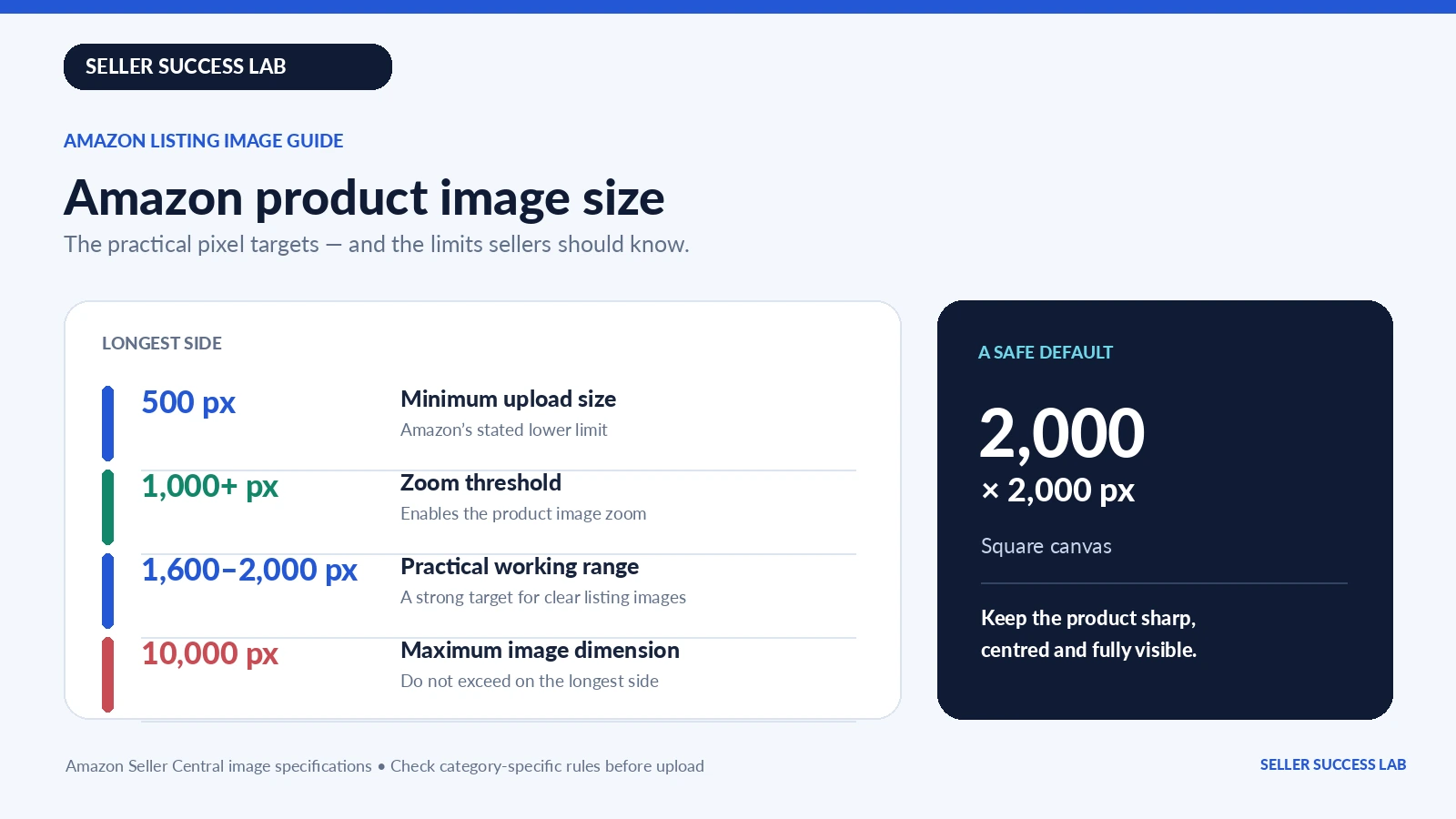
Amazon accepts 500 to 10,000 pixels on the longest side. Images with 1,000 pixels or more on the longest side unlock the zoom view. That 1,000 px line is the only enforced size threshold; 1,600 px is a working recommendation, not a requirement. There is no required aspect ratio. The main image needs a pure white background (RGB 255, 255, 255) with the product filling about 85% of the frame.
That is the short version. The rest of this page explains where each number comes from, which ones Amazon actually states and which are seller convention, and how to check a folder of photos before you upload them.
The size rules, and what each number actually does
| Requirement | Amazon's value | What it decides |
|---|---|---|
| Longest side, minimum | 500 px | The floor for upload. Anything smaller is refused. |
| Zoom | 1,000 px or more | Turns on the zoom view. Below it, shoppers cannot inspect detail. |
| Practical recommendation | 1,600 px or more | Not a rule. Amazon staff call it optimal in its 2026 photography standards; the enforced threshold is 1,000 px. |
| Longest side, maximum | 10,000 px | The upper limit. Nothing on a listing needs to be near it. |
| Aspect ratio | None required | Amazon states no mandatory ratio; it pads to fit the display. |
| Formats | JPEG, PNG, TIFF, non-animated GIF | JPEG is recommended. WebP is not on the list. |
| Colour | RGB preferred | CMYK uploads but is not preferred. |
| Resolution | 72 dpi or more | Matters for print, not for how the image displays. |
Zoom is measured on the longest side, not every side
This is the single most repeated error in Amazon image guides, including older versions of this page. Zoom is enabled by 1,000 pixels on the longest side — not 1,000 pixels on every side. A 1,000 × 1,500 portrait image qualifies.
Amazon's own pages disagree, and you should know how
This is not a settled number, and any guide that presents one figure as universal is oversimplifying. Here is what Amazon's pages actually say, as read in November 2026:
- Product image requirements — 500 to 10,000 px on the longest side, and "images with 1,000+ pixels on the longest side enable the zoom function".
- Product image error codes — error 13, "image dimensions too small", is described as needing "at least 500 pixels on the shortest side".
- Amazon India's image requirements page — states "product images should be at least 1001 pixels on the longest side" for the clothing and fashion context, and refers to the product occupying 85% of the image area.
- Jewellery style guides — a minimum of 1,000 px on the longest side, and a separate requirement of four to five images per product depending on the sub-category.
So 1,000, 1,001 and 500-on-the-shortest-side all appear in Amazon's own material, in different documents, for different purposes. The practical conclusion is simple: keep both sides at 1,000 px or more and you clear every version of the rule at once. A square 1,600 px or 2,000 px export does that without you having to think about which page applies to your category.
Where this matters most is fashion. If you sell apparel or jewellery on Amazon.in, the category style guide attached to your listing is stricter than the general page, and it is the one your submission is checked against.
Below 1,000 px
The image still uploads. Nothing errors, which is exactly why it goes unnoticed. It simply never gets the zoom view, and on a high-density phone screen the product looks soft in the search thumbnail.
Above 2,000 px
It works, and it is not wasted — a larger source gives you room to crop later without losing quality. What it does not do is make the listing look better than a well-framed 1,600 px image, and the file gets heavier. Amazon's own guidance goes no further than calling 1,600 px optimal, and sets no upper recommendation below the 10,000 px cap. The 2,000 px figure that circulates everywhere is seller convention, not an Amazon rule.
Main image vs additional images
Most rejections are not about pixel count. They come from putting the wrong kind of photo in the first slot.
What the main image must be
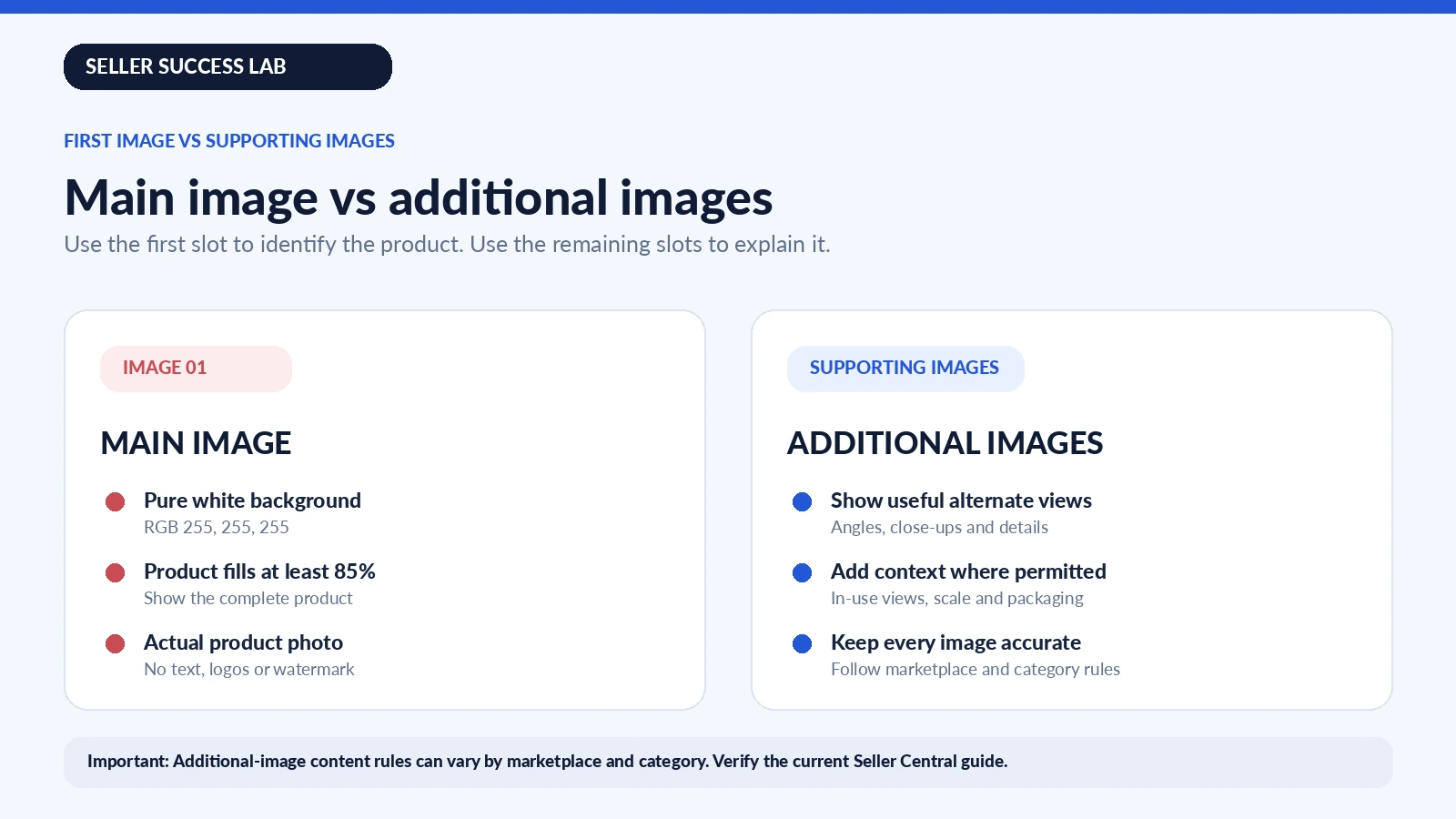
The main image is the one that appears in search results, so Amazon polices it hardest. From the product image guide, the main image must:
- sit on a pure white background, RGB 255, 255, 255;
- show the product as about 85% of the frame;
- show the entire product, nothing cut off at the edge;
- show the product once — not front and back side by side;
- show one unit, plus accessories that come with it;
- leave out packaging, unless the packaging is an important feature;
- leave out props and accessories not included with the product;
- contain no text, logos, borders, colour blocks, watermarks or badges;
- be a photograph of the actual product — not a drawing, mock-up or placeholder;
- show no part of a mannequin, whether clear, skin-toned, framed or a hanger.
Two of these catch Indian sellers most often: a faint watermark left by a background-removal app, and a "50% off" banner baked into the image. Both are suppression reasons, not warnings.
What additional images can do
Everything else. Lifestyle shots, close-ups of stitching or finish, scale references, packaging, infographics and size charts all belong here. For apparel, a size chart image is the most useful slot you have, and you can build one with the size chart builder.
Images also work with your text. A sharp photo under a weak title still underperforms — run the headline through the title grader before you publish.
The 85% fill rule, and why sharp photos still fail
Amazon asks for the product to fill at least 85% of the image frame. It does not say how that is measured, and its own pages are not consistent — the clothing guidance refers to 85% of the total image area, while most sellers read it as 85% of the longest side. For a round product, 85% of the area is close to impossible without touching the edges.
Practical reading: the product should span most of the frame in its longer direction, with a thin, even margin. When you are unsure, fill slightly more rather than less. "Product too small" is listed by Amazon as a reason to suppress a listing, and it does not care how many megapixels you shot.
The fix is framing, not resolution. A 3,000 px photo with the product in the middle and a wide white border fails the same check as a 500 px one with the same framing.
Formats, colour and file size
Amazon accepts JPEG, PNG, TIFF and non-animated GIF, and recommends JPEG. EPS, BMP, PDF and layered application files such as PSD are refused. Two technical details come from the Technical image file requirements page rather than the product image guide, and both are commonly misquoted:
- Resolution. "At least 72 dpi" is the stated requirement. In practice this is close to meaningless for a digital file — pixel dimensions decide how an image displays, and a 2,000 px image saved at 72 dpi is still 2,000 px. Do not let a dpi figure distract you from the pixel count.
- Colour. RGB is preferred. CMYK uploads but is not preferred, and Amazon may convert it, which shifts colour. Grayscale is accepted only for grey or silver metal products, and Amazon India's image requirements page asks for colour images rather than black and white. Export in sRGB and flatten layers before saving.
| Format | Status | When it makes sense |
|---|---|---|
| JPEG | Recommended | Everyday product photos. Small files, good quality. |
| PNG | Accepted | Infographics and sharp text. Lossless, so files run large. |
| TIFF | Accepted | Only if a photographer hands you one. Very heavy. |
| GIF | Accepted, non-animated only | Rarely right for a product photo. |
| WebP | Not accepted | Fine for your own site. Convert to JPEG for Amazon. |
| EPS, BMP, PDF, PSD | Refused | Export to JPEG instead. |
On the 10 MB figure: it is quoted in almost every guide, and it is a sensible ceiling to work to — but it is not stated on the Amazon image help pages themselves. Treat 10 MB as a safe working limit rather than a rule you can cite. In practice a 2,000 px JPEG exported at high quality lands between 300 KB and 1.5 MB, so the question rarely comes up.
One more thing on money: image quality affects conversion, but it does not change your fees. Before you price a listing, run the numbers through the Amazon profit calculator so you know what each sale actually leaves.
Universal rules vs category rules
Two different layers of rule apply to every image, and confusing them is what gets listings rejected.
Marketplace-wide technical rules apply to every listing in every category on a given marketplace: pixel range, accepted file formats, colour mode, dpi, file naming. These come from the Product image requirements and Technical image file requirements pages, and they are what the uploader checks. Category-specific rules sit on top and control how the product itself must be shown — model or flat, number of images, angle, background exceptions. These live in the style guide for your category, and they differ between marketplaces.
The ones that most often catch sellers out:
These are the category-level instructions most often quoted by sellers. They come from Amazon's main-image rules as compiled by Jungle Scout from Seller Central, and we could not read the original pages directly because they sit behind a Seller Central sign-in. Treat them as leads to check, not as settled facts:
- Apparel. Women's and men's clothing main images are reported to require a human model; kids' and baby clothing flat, off-model; multi-pack apparel flat.
- Footwear. Reportedly a single shoe, facing left, at a 45-degree angle.
- Jewellery. Some pieces are reportedly allowed to touch the frame edge, which other categories are not.
These category rules differ by marketplace and change without notice, and some of them carry image counts — Amazon India's ring style guide, for example, is reported to require five images per product, while its fashion and piercing jewellery guides require four. The only authoritative source is the style guide attached to your own category inside Seller Central. Read it before a shoot, not after a rejection.
How to check a photo in about a minute
- Longest side. Open the file properties. Under 1,000 px means no zoom. 1,600 px or more is a comfortable working size, not a rule.
- Background. Use an eyedropper on the white area. It should read 255, 255, 255. A background that looks white to the eye is often 250 or 252, which is enough to be flagged.
- Framing. Look at the thumbnail, not the full image. If the product looks small at thumbnail size, the fill is too low.
- Format and weight. JPEG, sRGB, flattened, and comfortably under 10 MB.
A real batch: 25 jewellery photos in one pass
This is the workflow we use for a catalogue drop, and the numbers below are from an actual run on the free bulk image resizer — not an illustration.
The source folder held 25 supplier photos of rings, earrings and pendants. Every one was already tall enough for zoom — the longest side ran from 1,568 to 1,600 px, comfortably past Amazon's 1,000 px threshold. What was not consistent was the shape and the framing: widths ranged from 707 to 1,600 px, so some were nearly square and some were strongly portrait, and the white margin around the product varied from image to image. Left as they were, the category grid would have shown 25 tiles with the product at 25 different sizes.
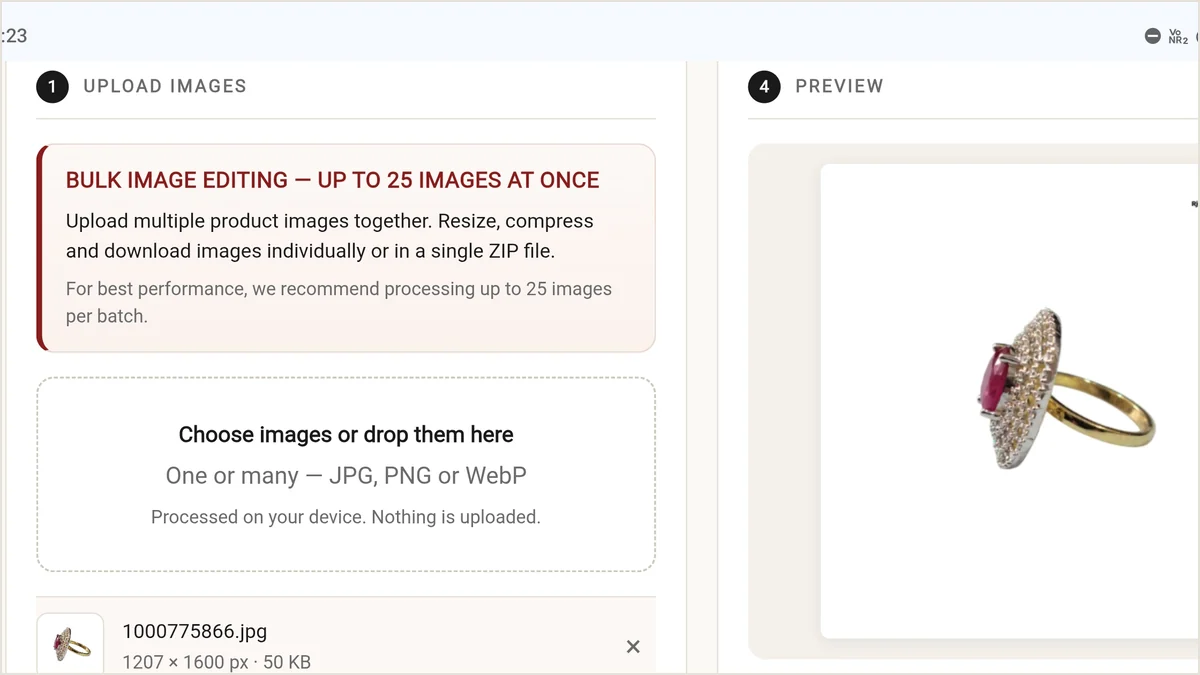
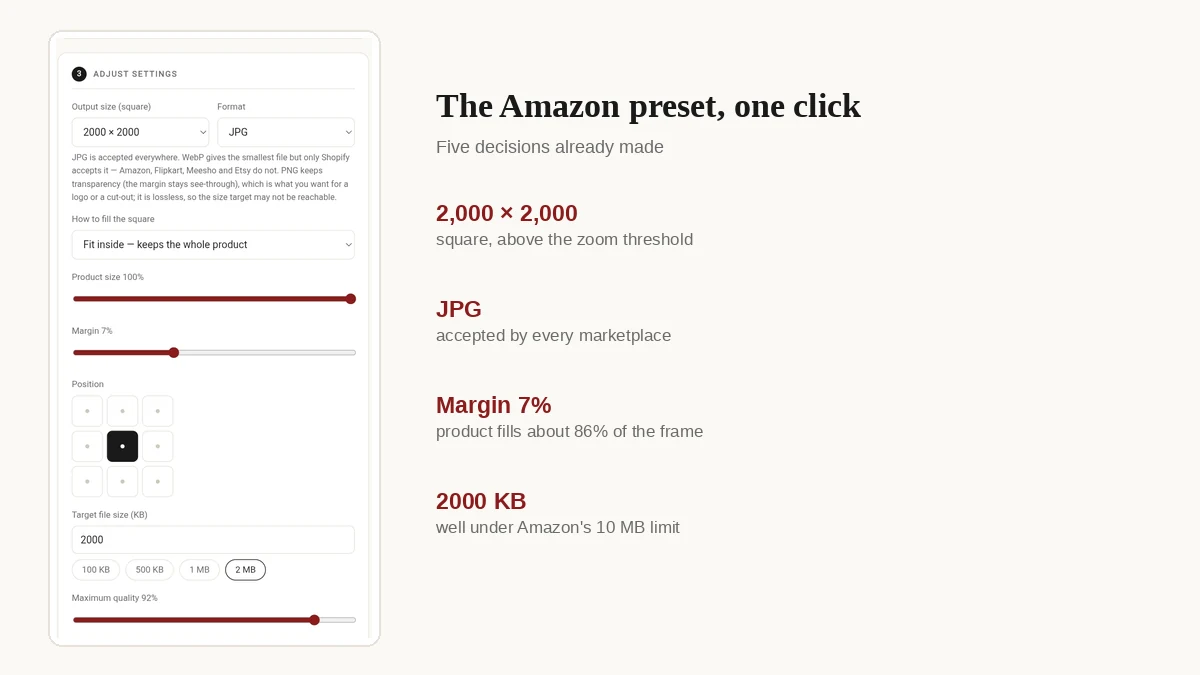
The settings were the Amazon preset with one adjustment: a 7% margin. Output was 2000 × 2000, format JPEG, target 2,000 KB, quality ceiling 100%.
That margin is worth explaining, because it is not the same thing as the 85% fill rule. The margin sets a fixed white border around the canvas — 7% of each side, so the image area available to the product is about 86% of the square. Whether the product itself then fills that area depends entirely on how tightly it was cropped in the source photo. A ring shot close-up fills most of it; a pendant shot with generous white space around it will still sit small. The margin standardises the frame, not the product's size within it.
What the run produced, read off the results panel: 1207 × 1600, 900 × 1600, 1066 × 1599 and 707 × 1600 all became 2000 × 2000. Every row shown carried an on target badge at quality 98%. Because the tool compresses to a byte target rather than a fixed quality level, each image kept as much detail as its own limit allowed — output sizes ranged from 167 KB to 1,019 KB against a 2,000 KB target, which is the tool stopping at the highest quality that fitted rather than flattening everything to one setting.
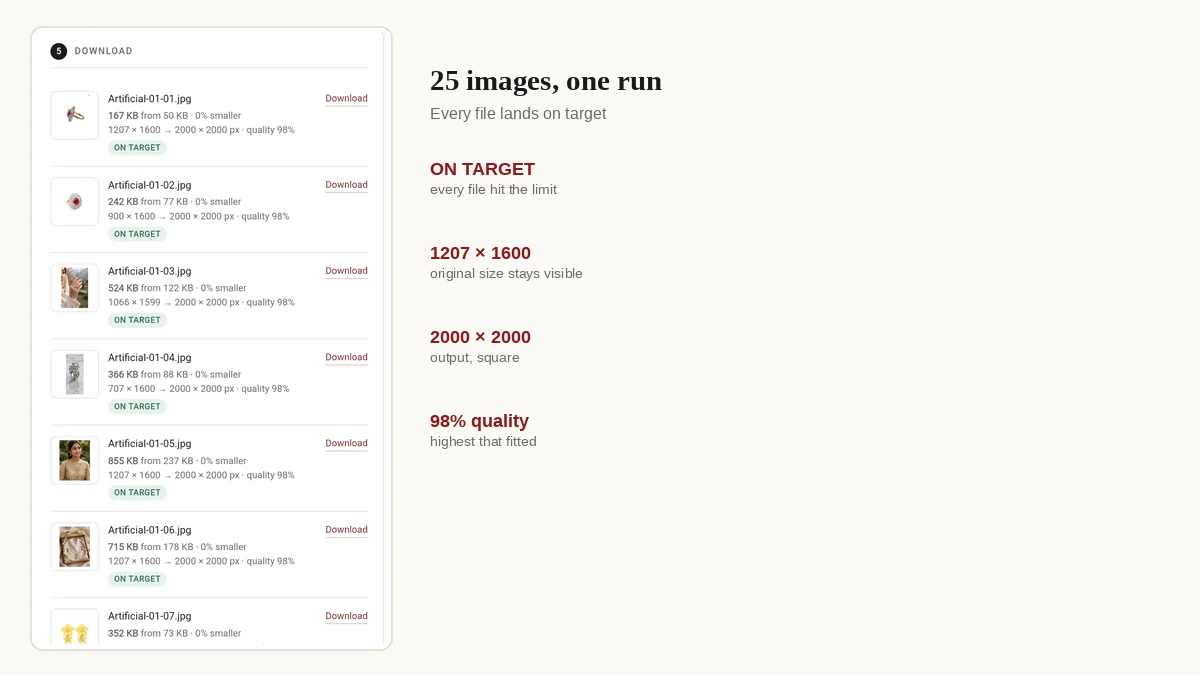
Two observations from that run, both visible in the results panel. First, every output file was larger than its source — the panel reports "0% smaller" on every row, and the first file went from 50 KB to 167 KB. That is expected: a 1207 × 1600 image stretched to 2000 × 2000 has more pixels to store, and a byte target of 2,000 KB was generous enough that the tool never had to compress hard. Second, and more important, upscaling cannot add detail that was never captured. A 707 px wide source rendered at 2,000 px is still a 707 px wide source. Resizing fixes the canvas; it does not fix the photograph.
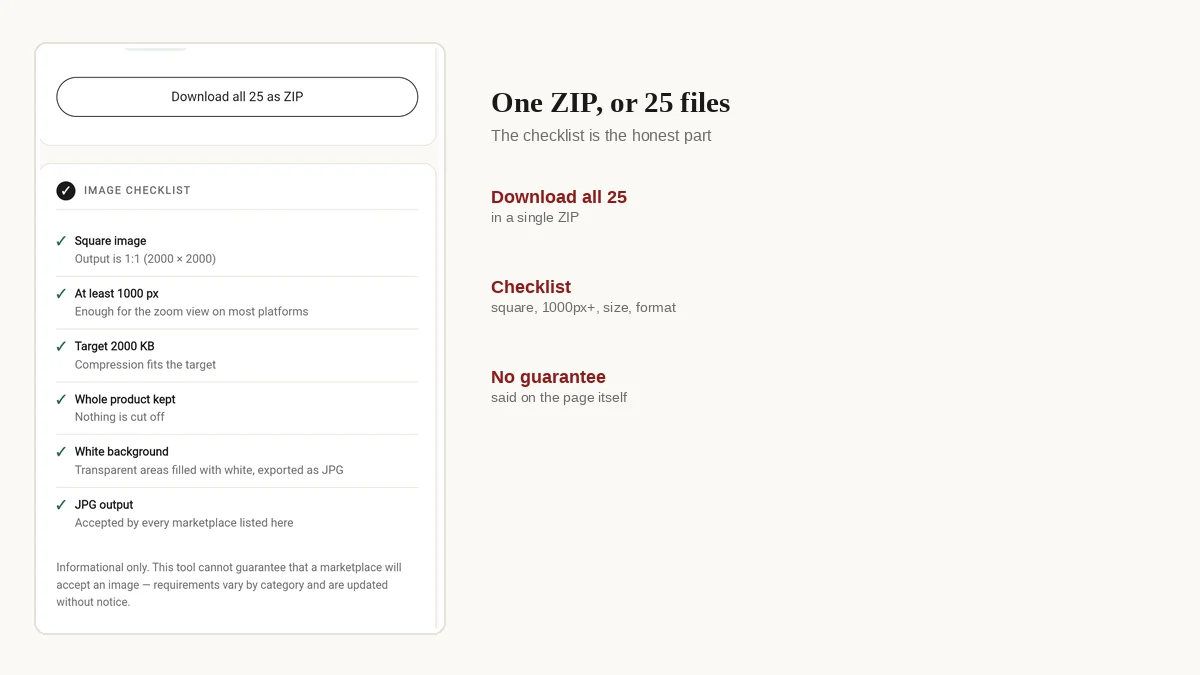
The batch finished as a single ZIP, which matters when you are uploading a catalogue rather than one product.
Advice for sellers in India
Amazon.in publishes the same general image guidance as Amazon.com — 500 to 10,000 px, 1,000 px for zoom, white background, JPEG — but category-level rules are set per marketplace and are not guaranteed to match. What genuinely differs for an Indian seller is how you work:
- Supplier photos are usually the wrong shape. Wholesale catalogues in Surat, Tiruppur and Jaipur hand over portrait images with inconsistent margins. Batch-resizing them to one square size is faster than re-shooting 40 SKUs.
- Phone cameras are enough. A modern phone in daylight beats a studio setup you cannot afford. What fails the check is the background and the framing, not the camera.
- Watch the background-removal apps. Cheap cutout tools leave a faint grey halo or a watermark. Both are suppression reasons. Check the corners at 200% zoom before uploading.
- Data is the real cost. A 25-photo upload of 2 MB files eats 50 MB. Resizing to a 500 KB target on a patchy connection is the difference between finishing the listing and giving up.
Frequently asked questions
What is the minimum size for an Amazon product image?
500 pixels on the longest side is the floor for upload, but an image under 1,000 px never gets the zoom view. Treat 1,000 px as the real minimum. 1,600 px or more is a working recommendation, not an enforced requirement.
Is zoom 1,000 px on the longest side or on every side?
Longest side, per the Product image requirements page: a 1,000 × 1,500 image qualifies. But Amazon's error-codes page describes the minimum as the shortest side, and Amazon India's fashion guidance asks for 1,001 px on the longest side. Keeping both sides at 1,000 px or more clears every version — which is what a square export gives you anyway.
Does Amazon accept WebP?
No. Amazon accepts JPEG, PNG, TIFF and non-animated GIF. WebP is fine for your own website, but convert it to JPEG before uploading to Seller Central.
Is there a 10 MB file size limit?
Every guide says 10 MB, and it is a sensible ceiling to work to, but it is not stated on Amazon's image help pages. In practice a 2,000 px JPEG at high quality is a few hundred kilobytes, so the limit almost never binds.
What is the 85% fill rule exactly?
Amazon asks for the product to fill at least 85% of the image frame and does not specify the measurement. Most sellers read it as 85% of the longest side, with a thin even margin. When in doubt, fill slightly more rather than less.
Can I use a grey background?
Not on the main image, which needs pure white, RGB 255, 255, 255. Grey, off-white and gradients can all be flagged. Additional images can use any background the category allows.
Do I need a different size for Amazon India?
The pixel and format rules are the same. Category-level rules can differ, so check the image guidelines for your category inside your own Seller Central account.
Where these numbers come from
Every figure on this page is taken from Amazon's own published guidance, read in November 2026. Amazon does not date its help pages, and two of them contradict each other on the minimum side, so where that happens both readings are given above rather than picking one.
- Amazon India — Product image requirements (reference G1881)
- Amazon India — Technical image file requirements (reference G9FUUH87RBNXGKB7)
- Amazon India — Product image error codes (reference G202131130)
- Amazon — product photo guidance
- Amazon India Seller Forums — product photo guide, 2025
Category style guides (apparel, footwear, jewellery) sit inside Seller Central and are only visible once signed in, so they are described rather than linked here.
Have a folder of photos to fix? The free bulk image resizer applies one size, margin and format to a whole batch, and exports a ZIP. No signup, and the photos never leave your browser.